Prepare the next conversation.
Add agenda items and notes to an upcoming calendar meeting. Search or Ask your saved meetings to revisit the pilot decision.
 Markdrip
A SMALL MEETING. A CLEAR NEXT STEP.
A team agrees to start a small pilot. Here’s how the conversation becomes something they can use.
Fictional sample, shown in the actual app interface. An illustration of the workflow, not a customer testimonial or an accuracy benchmark.
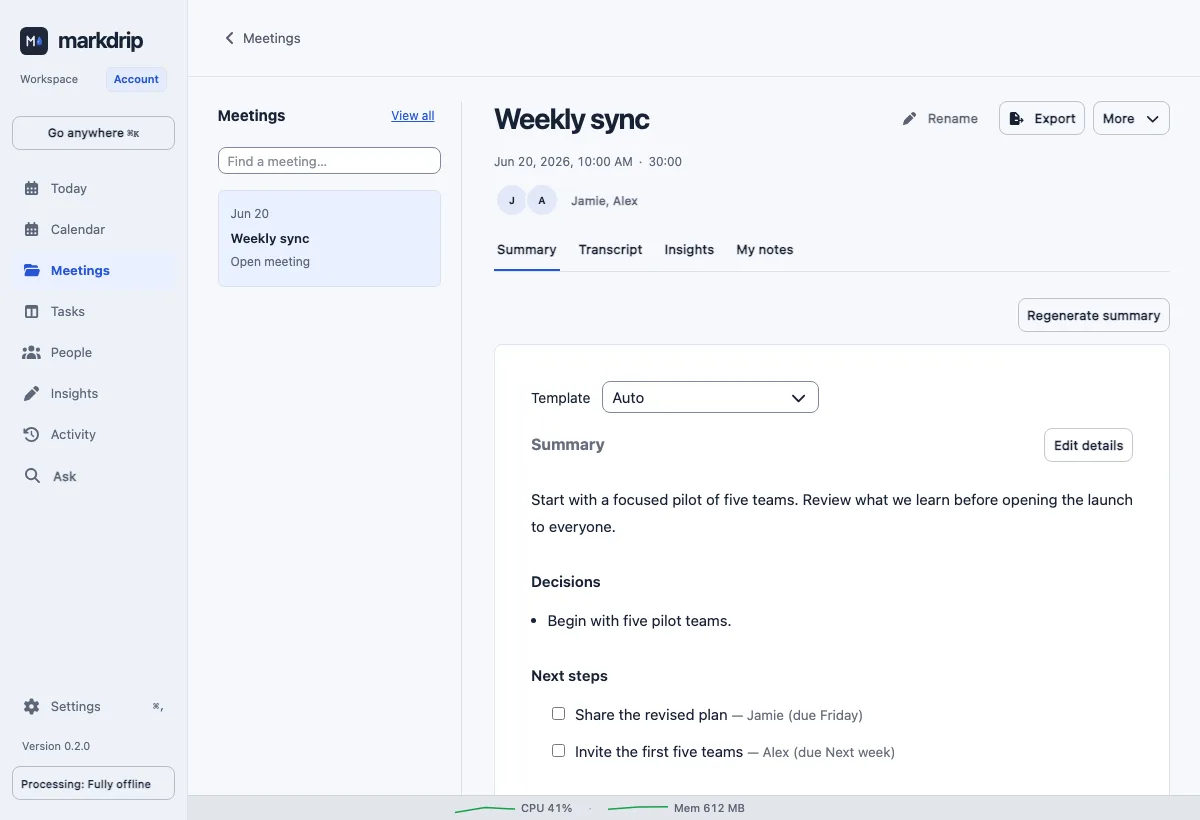
Actual app interface · fictional sample meeting
01 / REVIEW THE RESULT
The pilot starts with five teams. Jamie will share the revised plan by Friday; Alex will send invitations next week. Review these details before acting on them.
Summaries, decisions and action items are included in Free.
02 / CHECK THE DETAIL
Was the plan due Friday or next week? Read the transcript. When a recording is attached, replay the audio at that point. Correct the text or speaker name when needed.
How to review a note ↗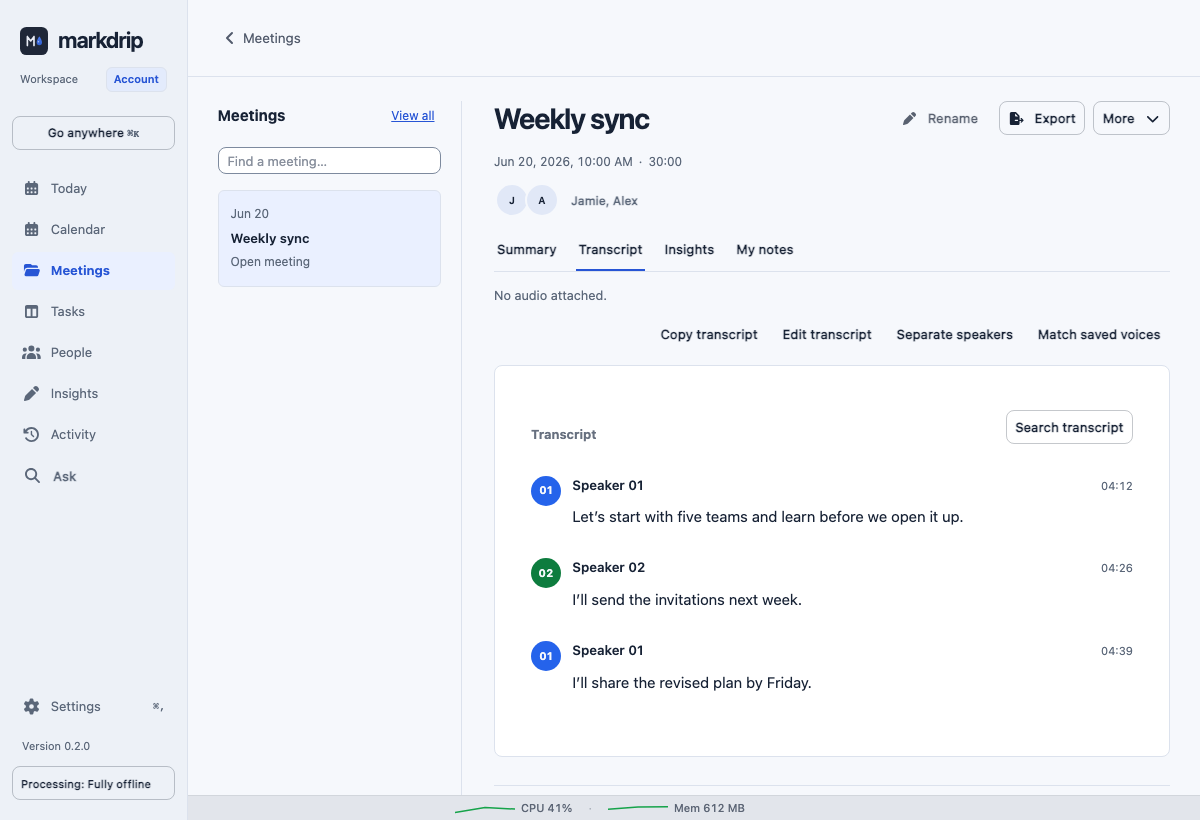
03 / PUT THE NOTE TO WORK
Add agenda items and notes to an upcoming calendar meeting. Search or Ask your saved meetings to revisit the pilot decision.
Copy a follow-up or export Markdown from the note. Open your files in Obsidian or another editor you already use.
Use your notes elsewhere ↗With MCP access enabled, a compatible tool can look up meeting decisions and actions. Read access covers the configured vault. With Plus and an explicit Read / Write opt-in, tools can immediately change meeting titles, tags, contact details and tasks. Your tool may send what it reads to its own provider.
Review agent access ↗